

DSLR HD Camera : 4K HD Camera
DOSA Apps
Taking photos on a phone often means choosing between a simple camera that feels reliable and a feature-heavy editor that takes too much effort. DSLR HD Camera: 4K HD Camera sits closer to the second group, aiming to give Android users more control over capture, blur, filters, and image quality without asking them to carry a dedicated camera. I found it most interesting as a quick creative tool: something to open when the standard camera feels too limited, but a full professional camera app feels excessive.
This is a free beauty app from DOSA Apps, available for Everyone and designed for devices running Android 7.0 or later. Its current version is 7.1.2, and its popularity is reflected in an average rating of 4.6 from around 79 thousand ratings, with over 10 million installs. Those figures do not automatically make it the right camera for every phone, but they do suggest that the basic idea has connected with a large audience.
My overall impression is positive, with an important qualification: the experience depends heavily on the phone itself, the lighting around you, and how much control you actually want. The app can make everyday images feel more deliberate, especially when you use blur and filters carefully. It is less convincing as a replacement for a real interchangeable-lens camera or a highly advanced manual camera app.
How the camera feels in everyday mobile situations
A useful second camera for quick creative shots
The strongest reason to try DSLR HD Camera: 4K HD Camera is that it treats the phone as more than a point-and-shoot device. The combination of high-resolution capture, filters, and blur editing gives me a simple workflow: frame the subject, take the picture, then shape the mood afterward. That is more approachable than learning a complicated desktop editor, and it is faster than moving every casual photo into a separate editing suite.
I can see the app being useful for photographing a product before listing it online, taking a portrait for a profile image, or recording a small visual detail that deserves more attention than an ordinary snapshot. A cup of coffee near a window, a handmade item on a table, or a friend standing against a clean background can all benefit from selective emphasis. The important point is not to apply every effect at once. The blur tool works best when it supports a clear subject rather than trying to disguise a busy composition.
Latest News

Uber Eats Under Pressure: What Happens When Delivery Goes Wrong

How QR & Barcode Scanner Adapts to Android and iOS Innovations

Why Waze Navigation & Live Traffic Is Your Essential Travel Companion

CapCut Mastery: Unleash Hidden Features for Pro-Level Editing

How OS Updates Enhance Roblox Adventures

Teacher Simulator: Exam Time Turns Quick Classroom Judgments into a Repetitive Loop
In a realistic everyday scenario, I might use it while preparing a second-hand item for sale. I would place the object near natural light, use the camera to make the subject stand out, and then apply a restrained adjustment rather than a dramatic filter. The result would be more inviting than a rushed image taken under a ceiling lamp. I would still take several versions, because a phone camera can react differently to reflections, shadows, and bright surfaces from one frame to the next.
What the high-resolution promise means in practice
The app presents itself around DSLR-style results and 4K HD capture, but I would not interpret that as a guarantee that every phone will produce DSLR-level detail. A camera application can influence how the device captures and processes an image, yet it cannot add a larger sensor, a brighter lens, or optical zoom that the hardware does not possess. On a newer phone with a capable camera, the app has more room to show its strengths. On an older or budget device, the result may remain limited by noise, focus speed, and lens quality.
This is one reason I would compare the app with the built-in camera rather than assuming it automatically wins. The default camera usually has the deepest integration with the phone’s hardware and may handle difficult lighting more consistently. DSLR HD Camera becomes more appealing when its creative controls produce a look I cannot get as quickly from the standard camera, not simply because its name sounds more advanced.
Gallery
There is also a practical storage trade-off. Higher-resolution images can be useful when I plan to crop or print, but they can consume more space and take longer to process or share. For casual social posts, maximum resolution is not always the best choice. I would reserve the highest-quality setting for images where detail matters, then use a more moderate workflow for routine snapshots.
Filters and blur need a light touch
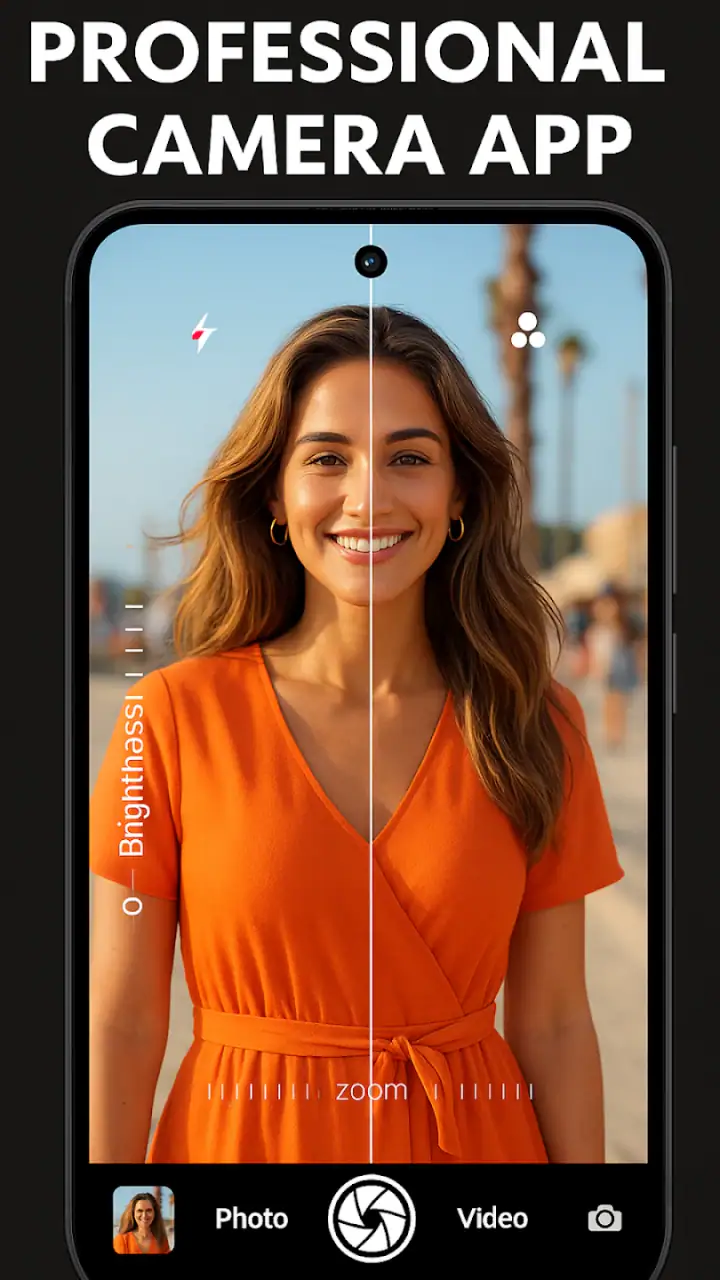
The beauty category makes sense here because filters and background-softening effects can change the character of a photo very quickly. I like having those tools close to the camera instead of treating editing as a separate project. Still, the most natural results usually come from small adjustments. Strong color effects can make skin tones look artificial, while excessive blur can create an obvious outline around hair, glasses, or fingers.
A useful technique is to take the original image before experimenting. That gives me a safe reference and makes it easier to decide whether an effect improves the picture or merely makes it look different. I also prefer using blur to simplify the edges of a frame rather than pretending the phone has created a perfect optical depth-of-field effect. That distinction matters when the subject has fine details or a complicated background.
For portraits, I would check the eyes, hairline, and shoulders before saving the edited version. For objects, I would inspect corners and thin handles. These are the areas where software blur tends to look least convincing. The app is most enjoyable when I treat it as a fast creative editor, not as a magic replacement for careful lighting and composition.
Connectivity changes the surrounding workflow
The core appeal is taking and shaping images on a phone, but a modern camera routine rarely ends at the shutter button. I may want to send a photo to a friend, upload it to a social platform, back it up, or move it into another editor. Those steps depend on the phone’s normal network and sharing environment, so the app’s usefulness can feel different when I am connected compared with when I am moving through a weak-signal area.
When the connection is good, the process feels immediate: capture, edit, review, and share. That makes the app suitable for a quick event photo, a marketplace listing, or a beauty-focused post that needs to go online soon. When the connection is unreliable, I would focus on capturing and reviewing first, then handle sharing later. I would not build an important workflow around an assumption that every online step will work smoothly in a dead zone.
This is also where the app differs from a social camera built around instant publishing. DSLR HD Camera is more appealing if I want to make the image first and decide where it goes afterward. Someone who mainly wants live social effects, messaging integration, or a built-in publishing community may find a social platform’s camera more convenient.
Handling interruptions, weak signals, and failed attempts
Camera apps are often used in imperfect conditions: a crowded street, a moving car, a dim restaurant, or a place where the network keeps dropping. In those situations, I judge the app less by its promotional language and more by how easy it is to recover from a missed shot. My advice is simple: pause after capturing, check the image, and avoid assuming that the first frame is good enough.
If sharing fails, I would keep the edited image in the phone’s normal photo workflow and try again later rather than repeatedly tapping a send button. If an effect produces an awkward edge, I would return to the cleaner original and rebuild the edit with less blur. If the camera struggles in low light, I would move the subject toward a window or another stable light source before blaming the software. These habits make the experience more dependable because they separate problems caused by the app from problems caused by the environment.
Motion is another realistic limitation. A filter cannot repair a subject that moved during exposure, and a high-resolution setting does not prevent hand shake. For portraits, I would ask the person to hold still for a moment. For objects, I would steady the phone against a table or wall. This sounds basic, but it makes a bigger difference than changing between several dramatic filters after the fact.
I also recommend leaving time for a second attempt when the image matters. The app encourages experimentation, and that is useful, but experimentation works best when I do not overwrite the only acceptable version. Keeping a clean capture before applying creative changes is one of the most practical ways to avoid frustration.
Using it without wasting mobile data
Photography itself is only one part of data-conscious use. Large images, repeated uploads, cloud backups, and sharing edited versions can all increase mobile data consumption through the phone’s wider ecosystem. If I am traveling or working with a limited plan, I would capture several images first, review them, delete obvious mistakes, and share only the strongest results when I have a suitable connection.
This approach also keeps the gallery easier to manage. High-resolution capture is valuable when I need detail, but saving several nearly identical frames can quickly become clutter. I would use the larger format selectively, especially for product photos, cropping, or images that may be printed. For a quick message, a smaller final copy is usually more practical than sending the original at its largest size.
There is a second reason to edit with restraint: every extra version creates another file to organize and potentially upload. I prefer a simple sequence of original, chosen edit, and final shared copy. That keeps the creative process flexible without turning a five-minute photo task into a folder-cleaning exercise.
Because the app includes optional purchases ranging from $0.99 to $99.99 per item, I would also pay attention to any purchase prompt during use. The app is free to install, which makes it easy to test the camera before spending anything. My recommendation is to decide whether the basic capture and editing workflow already solves your problem before considering extras. A free camera that fits your routine is better value than a collection of paid effects you rarely use.
Where it compares well, and where alternatives win
Compared with the default phone camera, this app is attractive when I want a more visibly creative result without opening a separate editor. Filters and blur are closer to the capture process, so I can move from framing to styling with fewer steps. The built-in camera remains the safer choice when I need the most dependable hardware integration, fast automatic exposure, or a familiar interface for an important moment.
Compared with a dedicated manual camera app, DSLR HD Camera feels more accessible. I would choose it for quick portraits, casual beauty photos, and simple subject isolation rather than for detailed control over every technical setting. A manual-focused alternative is better for someone who understands exposure and wants precise control over shutter speed, focus, white balance, or other camera behavior. The trade-off is that such apps can feel slower and less friendly for spontaneous use.
Compared with a social media camera, this app gives the image a more independent role. I can think about composition and editing before deciding where to share it. A social camera is better when the main goal is immediate publication, live interaction, or platform-specific effects. DSLR HD Camera makes more sense for people who want a reusable image that can travel between different apps and conversations.
It is also not the ideal choice for serious photography that depends on interchangeable lenses, predictable color management, or advanced file handling. The DSLR reference describes the style and ambition of the experience, not the physical capabilities of a professional camera body. I would recommend a dedicated camera or a specialized pro app to a photographer who needs repeatable technical results more than quick visual polish.
Who should install it
I think this app suits Android users who want to make ordinary phone photos look more intentional. It is especially approachable for people who enjoy portrait effects, background blur, and quick filters but do not want to learn a complex editing program. It can also help small sellers, students, travelers, and casual creators who need attractive images without carrying extra equipment.
I would be more cautious if your phone already produces excellent results with its default camera and you rarely edit anything. In that case, another camera may add clutter rather than value. I would also skip it if your priority is professional manual control, guaranteed performance in difficult lighting, or a workflow built around immediate social publishing.
The app’s Everyone content rating makes it broadly approachable, and the free starting point lowers the risk of trying it. Still, the practical question is not whether it has many features; it is whether you will actually use blur and filters in a repeatable way. I found the most value in a modest routine: compose carefully, capture more than one frame, preserve the clean original, and edit only after choosing the strongest image.
My connectivity verdict
DSLR HD Camera works best when I view it as a mobile capture-and-edit tool rather than a complete publishing system. A stable connection makes sharing and follow-up tasks more convenient, but the creative value comes from the camera and editing process itself. When connectivity is poor, I would continue with careful capture and postpone network-heavy actions instead of treating a weak signal as a reason to abandon the app.
After using it in that way, I see a clear place for it between the default camera and a professional manual alternative. It adds a more playful, beauty-focused layer to phone photography, while remaining easier to approach than a technical camera suite. Its limitations are real: phone hardware still sets the ceiling, blur can look artificial, large files need sensible management, and advanced photographers may outgrow the controls.
My recommendation is straightforward: try the free version if you want quick filters, soft background effects, and a more deliberate capture experience on Android. Keep the built-in camera available for moments where reliability matters most, and use a professional camera app when precision is the priority. For everyday creative photos, DSLR HD Camera: 4K HD Camera earns its place by making experimentation quick, provided you use its effects with restraint and plan your sharing around the connection you have.
FAQs for DSLR HD Camera : 4K HD Camera
What features does the DSLR HD Camera app offer?
The DSLR HD Camera app offers a range of professional features including 4K video recording, manual control over ISO, shutter speed, and white balance. It also provides advanced settings like exposure compensation, focus modes, and real-time filters to enhance your photography experience directly on your smartphone.
Is the DSLR HD Camera app compatible with all Android and iOS devices?
While the DSLR HD Camera app is designed to work on most modern Android and iOS devices, compatibility may vary based on specific device specifications. It’s recommended to check the app’s compatibility details on the app store before downloading to ensure it will function effectively on your device.
Does the app offer any editing tools for photos and videos?
Yes, the DSLR HD Camera app includes basic editing tools for both photos and videos. Users can crop, adjust brightness and contrast, apply filters, and make other enhancements directly within the app, allowing for quick edits without needing additional software.
Are there any in-app purchases or subscription fees in the DSLR HD Camera app?
The app may offer in-app purchases for additional features or to remove ads, depending on the version you download. While the basic version is often free, these premium options provide an enhanced user experience with extra tools and functionalities.
How does the DSLR HD Camera app compare to built-in smartphone camera apps?
The DSLR HD Camera app provides more advanced control and features than most built-in smartphone camera apps, mimicking professional DSLR capabilities. Users can manually adjust settings like ISO and shutter speed, which are typically automated in standard apps, offering a more customizable photography experience.
Pros
- High-resolution 4K photo capture.
- Intuitive user interface for ease of use.
- Manual focus and exposure settings.
- Burst mode for action shots.
- Multiple filter options available.
Cons
- Ads can be intrusive at times.
- Limited free features without upgrade.
- Requires significant storage space.
- May drain battery quickly.
- Some features need internet connection.


